FiloClean Storage review: Android decluttering with on-device privacy
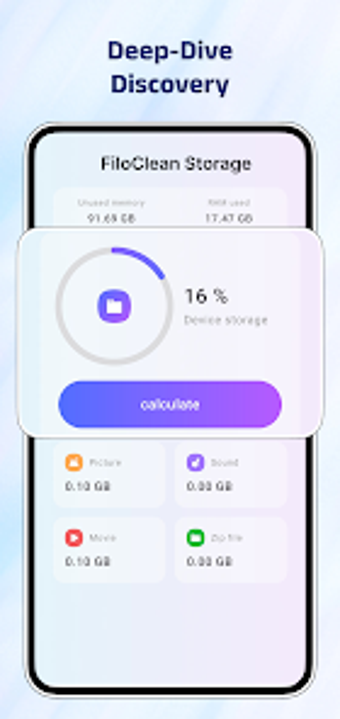
Experience FiloClean Storage, from Young Jedi Programming, as an Android decluttering assistant designed to reclaim device space. The app scans for junk files, large media, duplicates and offers a visual storage breakdown to guide deletions. It combines visual stacks, large-file identification and one-tap cleanup flows for quick action. Targeted at Android users with constrained internal storage or extensive media libraries, it aims to simplify routine cleanup while keeping all operations local to the device.
What FiloClean Storage actually does on an Android device
FiloClean is a storage management tool that locates and helps remove unnecessary data. It includes a junk file cleaner for system cache and residual app data, a storage analysis view that shows where space is used, and large-file detection. The scanner targets known clutter types such as temporary cache, obsolete APK files, large videos and duplicate photos, presenting candidates for review before deletion.
How it interacts with the system during scans and cleanup
The app performs its scanning and deletion routines locally on the device, which means no file lists are sent externally. It is optimized for recent Android environments, including support for Android 17.0, so compatibility with modern devices is an explicit design point. Because operations run on-device, network bandwidth is not required for core cleaning tasks and scans do not rely on remote servers.
Whether it preserves privacy and operates safely
Privacy is a stated priority: the developer discloses a zero-data-shared approach and the app handles file operations on the device. That design reduces exposure of personal files to third parties. The app provides file organization tools so users can inspect photos, videos and documents before removing them, which encourages manual verification rather than blind deletion.
If it is approachable for non-technical users and power users
Visual stacks represent storage distribution and a one-tap optimization path lets users free space quickly without deep menus. In addition, manual file organization tools let more technical users sort and manage categories such as photos, videos and documents. The combination of simplified paths and category-based tools supports both quick cleans and more deliberate housekeeping workflows.
Good fit for storage-constrained Android users, with an ad-related trade-off
FiloClean Storage is a pragmatic choice for Android users who need device-side decluttering and structured file review, matching the developer’s stated audience. The main trade-off is an ad-supported interface, which may affect uninterrupted cleanup sessions. For users prioritizing local processing and visual file inspection, the app delivers practical value; cautious users should confirm deletions before proceeding.